Generative AI apps using Flutter and Google Gemini in easy way under 5 minutes
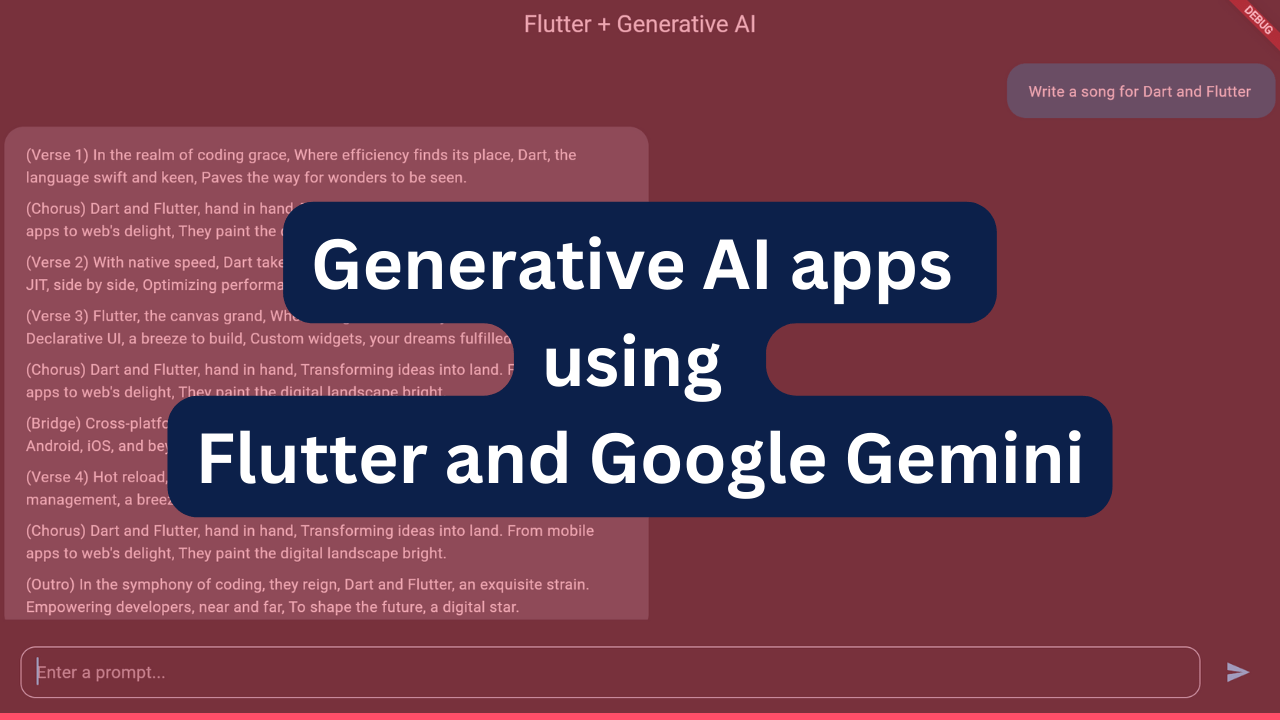
Generative AI apps using Flutter and Google Gemini : we are going to talk about how to create Generative AI apps with Flutter and Google Gemini using dart programming app.
To create generative AI apps using Dart and Flutter with Google Gemini, Google has just released a new pub.dev package, google_generative_ai,. This package contains all the features required to create AI powered apps for all platforms like mobile, web, and even desktop using Flutter. Even If you are not using Flutter, you can consume Gemini apis in your apps to integrate AI.
Both Gemini AI and Flutter are developed by Google. So Google has provided official package to integrate it into Flutter apps. You may check official samples to https://github.com/google/generative-ai-dart/tree/main/samples to understand how to use it. Google has provided all kind of examples from beginner to advance in dart folder under the samples.
To run the sample you must get API key. By this complete tutorial https://ai.google.dev/tutorials/dart_quickstart you can run these tutorials.
Suppose you want to run simple_text.dart under bin folder. Just copy the command below, pase in command line and replace GOOGLE_API_KEY with yours and you are good to go.
import 'dart:io';

            import 'package:google_generative_ai/google_generative_ai.dart';

            void main() async {
              final apiKey = Platform.environment['GOOGLE_API_KEY'];
              if (apiKey == null) {
                stderr.writeln(r'No $GOOGLE_API_KEY environment variable');
                exit(1);
              }
              final model = GenerativeModel(model: 'gemini-pro', apiKey: apiKey);
              final prompt = 'Write a story about a magic backpack.';
              print('Prompt: $prompt');
              final content = [Content.text(prompt)];
              final tokenCount = await model.countTokens(content);
              print('Token count: ${tokenCount.totalTokens}');

              final response = await model.generateContent(content);
              print('Response:');
              print(response.text);
            }
As this line Platform.environment[‘GOOGLE_API_KEY’] expects GOOGLE_API_KEY to be passed during runing this dart file.
GOOGLE_API_KEY=YOUR-API-KEY-HERE dart run bin/simple_text.dartFlutter sample app contains only one file main.dart
If you are running Flutter Sample then navigate to the root of Flutter Sample and just run
// Copyright 2024 Google LLC
//
// Licensed under the Apache License, Version 2.0 (the "License");
// you may not use this file except in compliance with the License.
// You may obtain a copy of the License at
//
// http://www.apache.org/licenses/LICENSE-2.0
//
// Unless required by applicable law or agreed to in writing, software
// distributed under the License is distributed on an "AS IS" BASIS,
// WITHOUT WARRANTIES OR CONDITIONS OF ANY KIND, either express or implied.
// See the License for the specific language governing permissions and
// limitations under the License.
import 'package:flutter/material.dart';
import 'package:flutter_markdown/flutter_markdown.dart';
import 'package:google_generative_ai/google_generative_ai.dart';
void main() {
runApp(const GenerativeAISample());
}
class GenerativeAISample extends StatelessWidget {
const GenerativeAISample({super.key});
@override
Widget build(BuildContext context) {
return MaterialApp(
title: 'Flutter + Generative AI',
theme: ThemeData(
colorScheme: ColorScheme.fromSeed(
brightness: Brightness.dark,
seedColor: const Color.fromARGB(255, 171, 222, 244),
),
useMaterial3: true,
),
home: const ChatScreen(title: 'Flutter + Generative AI'),
);
}
}
class ChatScreen extends StatefulWidget {
const ChatScreen({super.key, required this.title});
final String title;
@override
State<ChatScreen> createState() => _ChatScreenState();
}
class _ChatScreenState extends State<ChatScreen> {
@override
Widget build(BuildContext context) {
return Scaffold(
appBar: AppBar(
title: Text(widget.title),
),
body: const ChatWidget(),
);
}
}
class ChatWidget extends StatefulWidget {
const ChatWidget({super.key});
@override
State<ChatWidget> createState() => _ChatWidgetState();
}
class _ChatWidgetState extends State<ChatWidget> {
late final GenerativeModel _model;
late final ChatSession _chat;
final ScrollController _scrollController = ScrollController();
final TextEditingController _textController = TextEditingController();
final FocusNode _textFieldFocus = FocusNode();
bool _loading = false;
static const _apiKey = String.fromEnvironment('API_KEY');
@override
void initState() {
super.initState();
_model = GenerativeModel(
model: 'gemini-pro',
apiKey: _apiKey,
);
_chat = _model.startChat();
}
void _scrollDown() {
WidgetsBinding.instance.addPostFrameCallback(
(_) => _scrollController.animateTo(
_scrollController.position.maxScrollExtent,
duration: const Duration(
milliseconds: 750,
),
curve: Curves.easeOutCirc,
),
);
}
@override
Widget build(BuildContext context) {
var textFieldDecoration = InputDecoration(
contentPadding: const EdgeInsets.all(15),
hintText: 'Enter a prompt...',
border: OutlineInputBorder(
borderRadius: const BorderRadius.all(
Radius.circular(14),
),
borderSide: BorderSide(
color: Theme.of(context).colorScheme.secondary,
),
),
focusedBorder: OutlineInputBorder(
borderRadius: const BorderRadius.all(
Radius.circular(14),
),
borderSide: BorderSide(
color: Theme.of(context).colorScheme.secondary,
),
),
);
return Padding(
padding: const EdgeInsets.all(8.0),
child: Column(
mainAxisAlignment: MainAxisAlignment.center,
crossAxisAlignment: CrossAxisAlignment.start,
children: [
Expanded(
child: _apiKey.isNotEmpty
? ListView.builder(
controller: _scrollController,
itemBuilder: (context, idx) {
var content = _chat.history.toList()[idx];
var text = content.parts
.whereType<TextPart>()
.map<String>((e) => e.text)
.join('');
return MessageWidget(
text: text,
isFromUser: content.role == 'user',
);
},
itemCount: _chat.history.length,
)
: ListView(
children: const [
Text('No API key found. Please provide an API Key.'),
],
),
),
Padding(
padding: const EdgeInsets.symmetric(
vertical: 25,
horizontal: 15,
),
child: Row(
children: [
Expanded(
child: TextField(
autofocus: true,
focusNode: _textFieldFocus,
decoration: textFieldDecoration,
controller: _textController,
onSubmitted: (String value) {
_sendChatMessage(value);
},
),
),
const SizedBox.square(
dimension: 15,
),
if (!_loading)
IconButton(
onPressed: () async {
_sendChatMessage(_textController.text);
},
icon: Icon(
Icons.send,
color: Theme.of(context).colorScheme.primary,
),
)
else
const CircularProgressIndicator(),
],
),
),
],
),
);
}
Future<void> _sendChatMessage(String message) async {
setState(() {
_loading = true;
});
try {
var response = await _chat.sendMessage(
Content.text(message),
);
var text = response.text;
if (text == null) {
_showError('No response from API.');
return;
} else {
setState(() {
_loading = false;
_scrollDown();
});
}
} catch (e) {
_showError(e.toString());
setState(() {
_loading = false;
});
} finally {
_textController.clear();
setState(() {
_loading = false;
});
_textFieldFocus.requestFocus();
}
}
void _showError(String message) {
showDialog(
context: context,
builder: (context) {
return AlertDialog(
title: const Text('Something went wrong'),
content: SingleChildScrollView(
child: SelectableText(message),
),
actions: [
TextButton(
onPressed: () {
Navigator.of(context).pop();
},
child: const Text('OK'),
)
],
);
},
);
}
}
class MessageWidget extends StatelessWidget {
final String text;
final bool isFromUser;
const MessageWidget({
super.key,
required this.text,
required this.isFromUser,
});
@override
Widget build(BuildContext context) {
return Row(
mainAxisAlignment:
isFromUser ? MainAxisAlignment.end : MainAxisAlignment.start,
children: [
Flexible(
child: Container(
constraints: const BoxConstraints(maxWidth: 600),
decoration: BoxDecoration(
color: isFromUser
? Theme.of(context).colorScheme.primaryContainer
: Theme.of(context).colorScheme.surfaceVariant,
borderRadius: BorderRadius.circular(18),
),
padding: const EdgeInsets.symmetric(
vertical: 15,
horizontal: 20,
),
margin: const EdgeInsets.only(bottom: 8),
child: MarkdownBody(
selectable: true,
data: text,
),
),
),
],
);
}
}flutter run -d [DEVICE NAME] — dart-define=API_KEY=[YOUR API KEY]I just tested it with chrome device with my api keys and it worked with perfection.
flutter run --dart-define=API_KEY=YOUR-API-KEY-HERE -d chrome
One of the benefits that Gemini provides is that in the prompt we can share image. This can be beneficial for cooking apps for example you can upload a picture of final outcome you want and Gemini will suggest recipe for it. Or you can upload a picture of Stock market chart and it will explain what is going on. Your imagination is the limit, You can make anything out of it.
Sanjeev Kumar
Founder & Lead Engineer at PrepNew. Building cross-platform Flutter applications, serverless AI backends, and full-stack Dart web architectures.