Introduction: The Brevity Principle
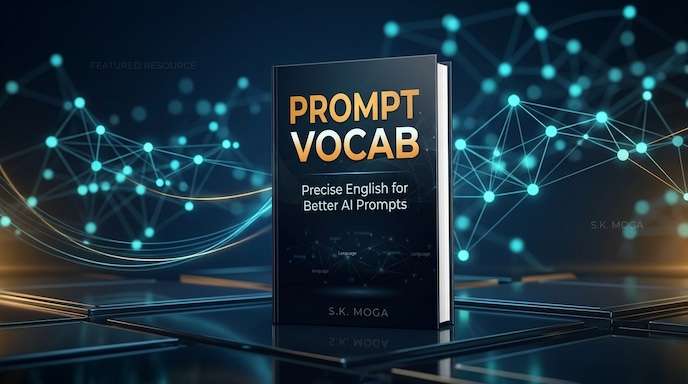
When you prompt an AI, every word you type takes up a slot in its “attention window.” In the world of generative AI systems, a word is translated into a token.
Conversational filler like “Can you please write a nice…” or “I need you to try to make this look very…” doesn’t just waste space—it actively dilutes the AI’s focus. The AI’s attention heads are forced to divide their mathematical weight between your filler words and your actual commands.
The secret to mastering AI outputs is Brevity through Vocabulary.
Noob vs. Pro: The Paradigm Shift
- The Noob Prompter: Treats the AI like a human assistant. They write long, chatty paragraphs, explain their emotions, repeat themselves, and use generic words (like “nice,” “clean,” or “professional”). This causes the AI to lose focus, leading to vague outputs and endless rounds of frustrating corrections.
- The Pro Prompter: Treats the AI like a precise, high-speed compiler. They discard conversational fluff and use exact domain-specific vocabulary words (like “chiaroscuro,” “solicit,” or “time-blocked”).
How Pro Prompting Saves You Time & Money
- Zero Retries (Saves Time): Noob prompts require 3 to 5 follow-up prompts to correct the AI’s mistakes. Pro prompts target the exact desired aesthetic, structure, or tone, yielding the perfect output on the very first try.
- Slash Your Token Costs (Saves Money): AIs charge you (either in API bills or platform query limits) for every single token you input and output. Conversational filler and repetitive retries swell your token consumption. Writing high-yield pro prompts cuts input sizes by up to 70%, keeping your bills low and preserving your usage limits.
By replacing a vague, ten-word description with a single, high-fidelity vocabulary word, you:
- Maximize Attention Weight: The AI focuses 100% of its processing power on the core concept.
- Standardize Style: You trigger pre-trained aesthetic styles (like photographic styles, writing registers, or coding architectures) that the AI already knows.
- Save Token Space: Your prompts remain clean, readable, and easy to modify.
The 5 Core Examples
Here is how the Brevity Principle transforms wordy, conversational prompts into high-efficiency instructions across different daily domains:
1. Daily Routine & Health
- Noob Prompt: “Can you write a workout for me that doesn’t hurt my knees and helps with flexibility and is only 10 minutes?”
- Pro Prompt:
10-minute mobility-focused low-impact morning workout itinerary.
2. Business Writing
- Noob Prompt: “Can you please write a quick email to the team asking them for an update on why the project is taking so long?”
- Pro Prompt:
Draft a brief team email to solicit a status update on the timeline.
3. Creative & Photography
- Noob Prompt: “A nice picture of a cup of coffee on a table with light coming from the window and the background is all blurry.”
- Pro Prompt:
Macro photo of coffee cup, side window lighting, shallow depth of field, creamy bokeh.
4. Relationships & Communication
- Noob Prompt: “Write a nice text to my partner thanking them for cooking dinner when I was so stressed about work today.”
- Pro Prompt:
Write a warm, grounded text expressing appreciation for my partner cooking dinner tonight.
5. Coding & Technical (Only if you are a coder)
- Noob Prompt: “Make this code run faster by fixing the nested loops if you can.”
- Pro Prompt:
Refactor this function. Optimize time complexity to O(N log N).
The Anatomy of a Pro Prompt
A professional prompt is not a paragraph of instructions. It is a structured sequence of precise tokens:
[Subject] + [Composition/Framing] + [Lighting & Atmosphere] + [Medium/Surface] + [Historical/Usage Context]
How to Use This Book
This is a chronological pocket guide. We will follow a typical professional’s day—from setting a morning schedule, writing business emails, capturing evening photos, communicating in relationships, and finally, managing technical code.
For each scenario, you will find:
- The Swap: A direct table of generic words to discard and the precise vocabulary words to use instead.
- The Pro Prompt: A copy-pasteable, ultra-short prompt showing how to use the vocabulary in the real world.
- Why It Works: A quick explanation of what happens inside the AI when it reads that specific token.
For Better Reading Experience buy book from Link Below
Sanjeev Kumar
Founder & Lead Engineer at PrepNew. Building cross-platform Flutter applications, serverless AI backends, and full-stack Dart web architectures.