Prompt Vocab Mastery
2026-10-10
•
By Sanjeev Kumar
Lesson 4: The High-Impact Email
It is 9:30 AM. You are at your desk, and your inbox is full. You need to write emails that get responses. Using generic, apologetic, or passive phrases makes you sound weak and leads to long, rambling drafts. Replace them with professional, high-agency vocabulary.
The Email Swap Table
| # | Generic Term | Precise Alternative | Output Benefit |
|---|---|---|---|
| 1 | Just checking in | Solicit status update | Triggers assertive, action-oriented follow-up structures. |
| 2 | Sorry for late reply | Thank you for your patience / Latency | Shifts the tone from apologetic/weak to professional. |
| 3 | Let’s meet | Propose tentative timeslots | Forces the AI to generate clear, structured date options. |
| 4 | I’m too busy | Cite bandwidth constraints | Replaces defensive excuses with professional boundary-setting. |
| 5 | Did you read my email | Re-engage / Value proposition | Focuses the follow-up on benefits rather than nagging. |
Example 1: Soliciting Status Update
- Noob Prompt:
Check if they did the work yet. - Pro Prompt:
Draft a brief email to the product team to solicit a status update on the API integration. - Alternative Scenario Combinations:
- Scenario A: Legal Execution ➡️
Draft a formal inquiry requesting confirmation of contract execution from their legal counsel. - Scenario B: Vendor Shipment ➡️
Draft a prompt to solicit shipping confirmation and tracking credentials from the supplier. - Scenario C: Interview Status ➡️
Draft a brief follow-up to the recruiter inquiring about the status of my second-round interview evaluation.
- Scenario A: Legal Execution ➡️
- Why It Works: Specifying the context (legal execution, shipping, interview) tells the AI what tone and jargon to use, keeping the request short and focused.
Example 2: Apology for Late Reply
- Noob Prompt:
Sorry I didn't write back sooner. - Pro Prompt:
Draft a reply thanking the client for their patience and apologizing for the latency. - Alternative Scenario Combinations:
- Scenario A: System Outage ➡️
Draft an update explaining the email system outage, apologizing for the communications latency. - Scenario B: Customer Support ➡️
Draft a support response resolving the ticket, thanking the user for their patience during peak volumes. - Scenario C: 1-Sentence Resolution ➡️
Draft a 1-sentence reply resolving the query, noting the latency with a professional register.
- Scenario A: System Outage ➡️
- Why It Works: Using words like “latency,” “peak volumes,” or “system outage” keeps the focus on operations rather than personal neglect.
Example 3: Meeting Scheduling
- Noob Prompt:
Let's meet tomorrow to talk about this. - Pro Prompt:
Propose 3 tentative timeslots tomorrow afternoon for a 15-minute alignment sync. - Alternative Scenario Combinations:
- Scenario A: Executive Onboarding ➡️
Draft a meeting request offering calendar access links for executive onboarding. - Scenario B: Panel/Group Sync ➡️
Draft a message proposing a group scheduling poll to coordinate a multi-department sync next week. - Scenario C: Candidate Interview ➡️
Draft an email requesting the candidate's availability for a 30-minute technical interview.
- Scenario A: Executive Onboarding ➡️
- Why It Works: Specifying the mechanism (“calendar links,” “scheduling poll,” “tentative timeslots”) structures the coordination steps, cutting out back-and-forth emails.
Example 4: Declining a Task
- Noob Prompt:
I can't work on this right now, I have too much other stuff. - Pro Prompt:
Draft a professional decline, citing current bandwidth constraints. - Alternative Scenario Combinations:
- Scenario A: Scope Creep ➡️
Draft a polite rejection of the new project features, citing agreed-upon contract scope limits. - Scenario B: Out of Office (OOO) ➡️
Draft an out-of-office auto-reply, directing urgent queries to the support alias. - Scenario C: Meeting Conflict ➡️
Decline the meeting invitation, citing calendar conflict and requesting written minutes.
- Scenario A: Scope Creep ➡️
- Why It Works: Explaining the rejection via “scope limits,” “calendar conflicts,” or “bandwidth constraints” provides clear business logic that keeps relationships strong.
Example 5: Sales/Pitch Follow-Up
- Noob Prompt:
Did you read my email? Let's work together. - Pro Prompt:
Re-engage the lead, highlighting the core value proposition of our trial. - Alternative Scenario Combinations:
- Scenario A: Investor Follow-Up ➡️
Re-engage the angel investor, highlighting our 20% quarter-over-quarter growth metric. - Scenario B: B2B Enterprise Pitch ➡️
Draft a follow-up pitch to the procurement head, highlighting our system compliance standards. - Scenario C: Webinar Post-Event ➡️
Draft a post-webinar follow-up offering the presentation deck and a calendar link.
- Scenario A: Investor Follow-Up ➡️
- Why It Works: Specifying the “value proposition” or “metrics” ensures the AI provides reasons to collaborate rather than just writing generic check-ins.
Put It Into Action
Pick one of the exercises above:
- Open your favorite AI tool, paste the Noob Prompt, and look at the response.
- In a brand-new chat session, paste the corresponding Pro Prompt or one of the Alternative Scenario Combinations.
- Compare the outputs. See how different vocabulary mixes completely shift the focus, structure, and quality of the response!
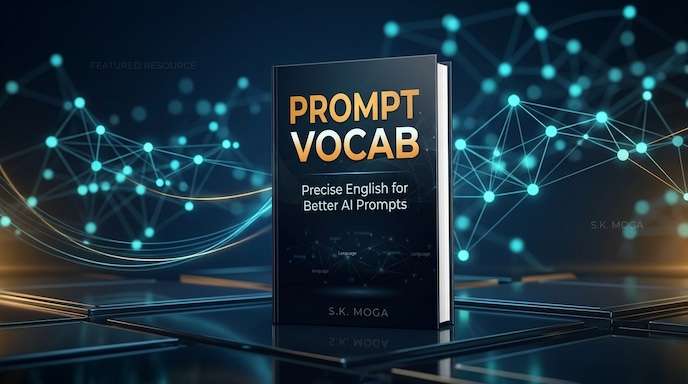
For Better Reading Experience buy book from Link Below
SK
Written by
Sanjeev Kumar
Founder & Lead Engineer at PrepNew. Building cross-platform Flutter applications, serverless AI backends, and full-stack Dart web architectures.
Continue Reading